On this page
Last Updated on September 27, 2026 by Muhammad Toqeer
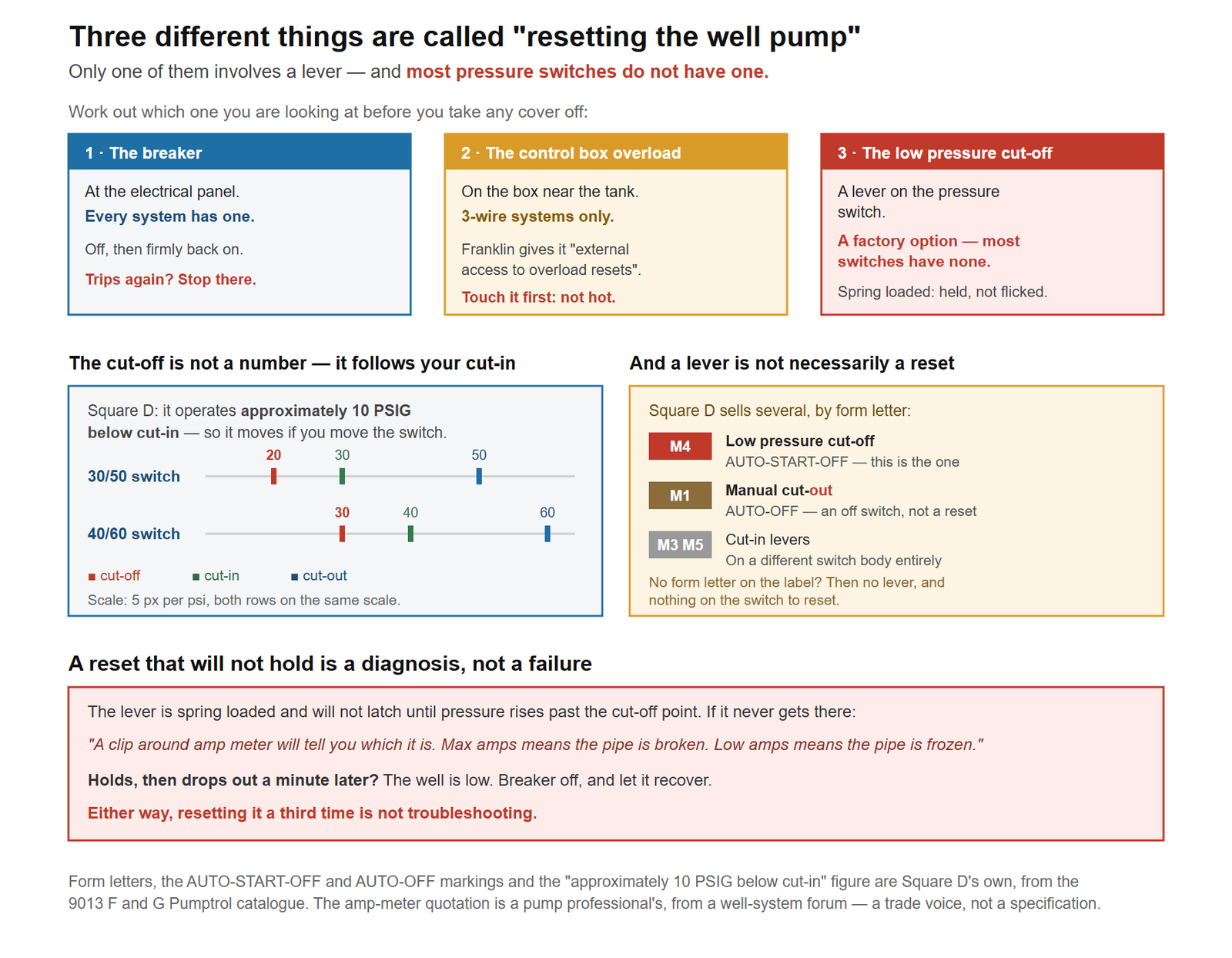
“Resetting the well pump” means three unrelated things, and only one of them involves a lever: the breaker at the panel, the overload on a 3-wire control box, and the low-pressure cut-off on the pressure switch.
Start by working out which one you are actually looking at, because most pressure switches have no lever at all — it is a factory option, not standard equipment.
A warning about the instructions you will find elsewhere
This matters before you start, because the procedure published almost everywhere cannot be carried out as written.
The standard set of steps runs: turn off the circuit breaker → remove the cover → hold the lever until the pressure builds → restore power.
With the breaker off, the pump cannot run. If the pump cannot run, pressure cannot build. If pressure cannot build, the lever can never latch. Two of the top-ranking pages on this subject give exactly that sequence and neither notices the contradiction.
One of them also says to “pull the lever outward and release it”, which on the switch it is describing does nothing whatsoever — the lever is spring-loaded and has to be held.
So the honest version of this procedure is below, including the part where it stops being a homeowner job.
Which reset are you looking at?
What you need
- A torch. Pressure switches live in bad light.
- A pressure gauge you can read — the one on the tank tee is usually it.
- A clamp meter, if you have one. It is the difference between resetting blindly and knowing why.
- Nothing else. If a procedure below calls for a screwdriver inside a live enclosure, that is the signal to stop, not to find a screwdriver.
The hazard, in the manufacturer’s own words. Square D’s instruction sheet for these switches says: “Disconnect all power to the compressor and pressure switch before performing any installation, maintenance, or troubleshooting. Electrical shock can cause severe injury or death.” This is a 240-volt circuit, usually in a damp basement or an outbuilding. Take that seriously — and note the conflict it creates, which is dealt with below rather than glossed over.
Reset 1 — the breaker
The one every system has, and the one to try first.
- Find the well pump breaker at the panel. It is usually a double-pole breaker, two switches joined together, because the pump runs on 240 V.
- Push it fully off. A tripped breaker often sits in a middle position that looks on — you have to go past it to off before it will reset.
- Push it firmly back on.
If it holds, you are done. Give the system a minute and check a tap.
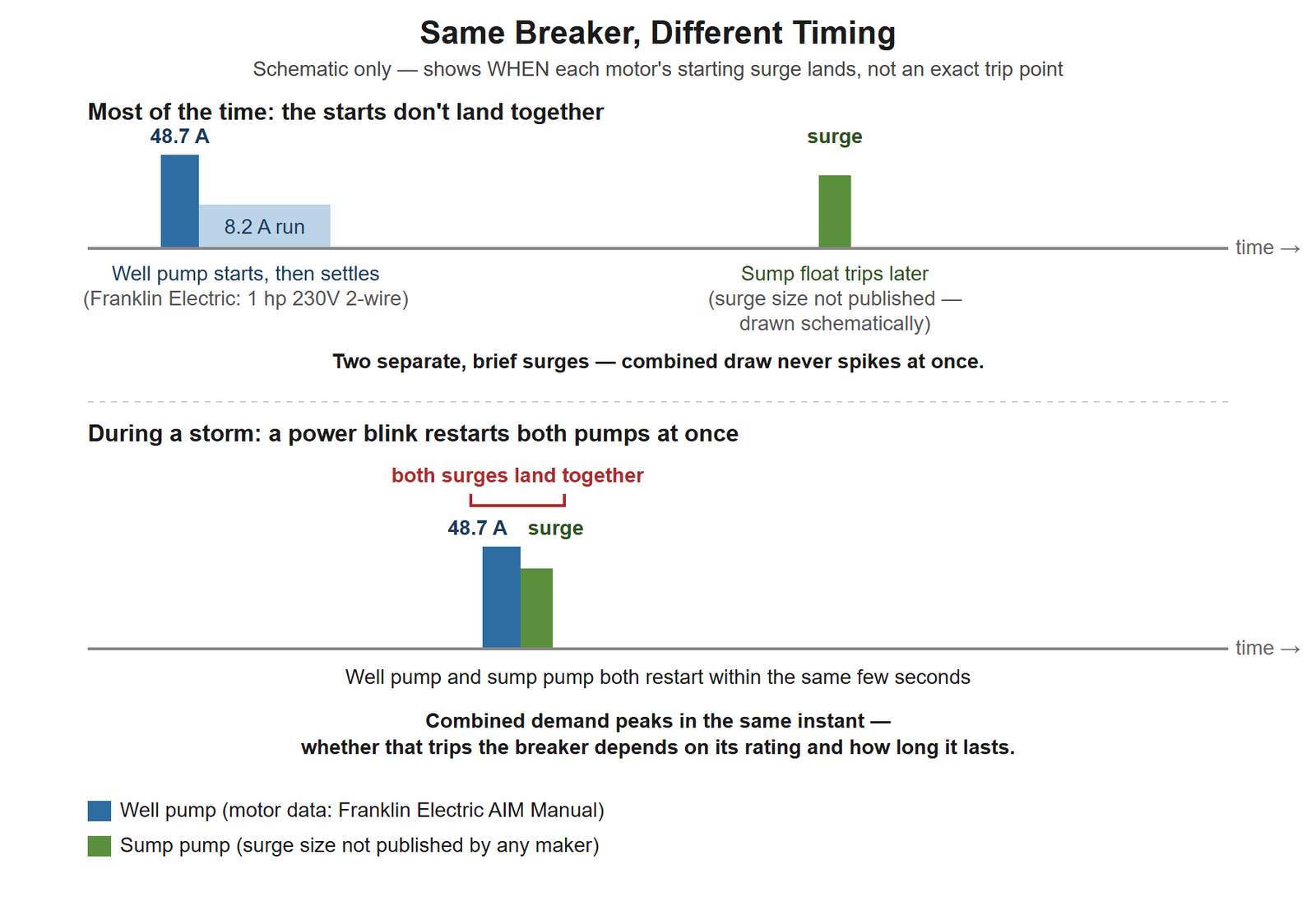
If it trips again straight away, stop. A breaker that will not stay in is doing its job: there is a short, a ground fault, or a motor drawing far more than it should. Resetting it repeatedly is not troubleshooting — the amperage question is covered here, and the answer is usually a call rather than a fix.
Reset 2 — the control box overload
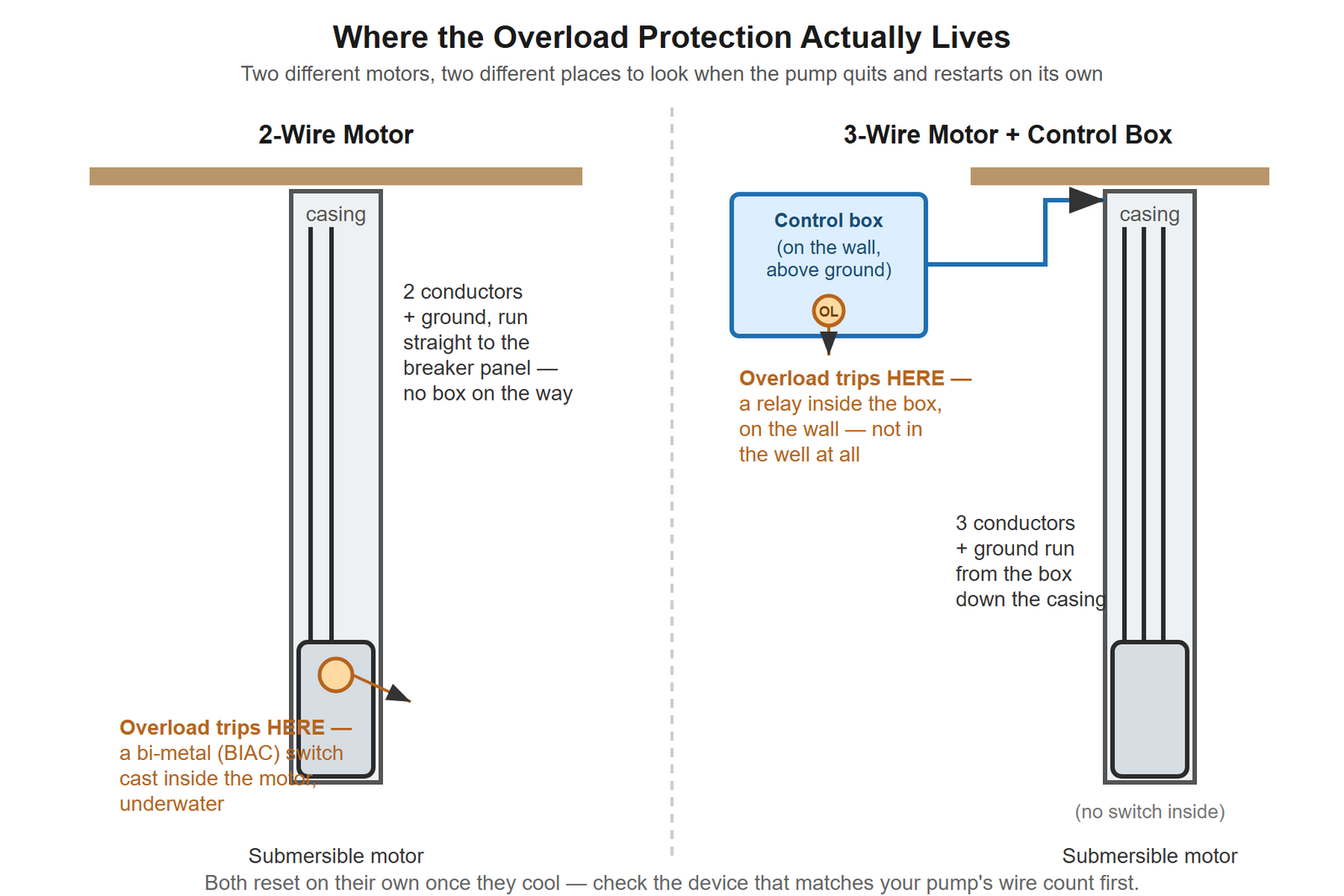
Only if you have a 3-wire submersible system, which means a box on the wall near the pressure tank. Jet pumps and 2-wire submersibles have no such box, and nothing in this section applies to them.
Franklin builds their boxes with “external access to overload resets” — so on most, you do not have to open anything.
- Put a hand on the box before you touch the reset. Franklin’s own troubleshooting is blunt about why: “Direct sunlight or other heat source can raise control box temperature causing protectors to trip. The box must not be hot to touch.”
- If it is hot, the fix is shade and ventilation, not a reset. It will trip again tomorrow afternoon otherwise.
- If it is cool, press the reset.
A reset that holds is a fix. A reset that trips again is a diagnosis — something is drawing too much current, and pressing it a third time only removes the thing protecting the motor.
Reset 3 — the pressure switch low-pressure cut-off
This is the one people mean when they talk about “the lever”, and it needs unpicking, because three different things are true at once.
Most switches do not have one
The lever is a factory option with its own code. Square D’s catalogue lists it as:
“Low pressure cut-off ( AUTO-START-OFF ) operates at approximately 10 PSIG below cut-in and will turn off the pump” — form letter M4
If your switch is a plain 9013FSG2 with no M4 on the label, there is no lever and nothing on the switch to reset. Go back to resets 1 and 2.
And a lever is not necessarily a reset
Square D sells more than one lever, and they do opposite things:
| Form letter | What it is | Marked |
|---|---|---|
| M4 | Low pressure cut-off — this is the reset | AUTO-START-OFF |
| M1 | Maintained manual cut-out | AUTO-OFF |
| M3 / M5 | Cut-in levers, on a different switch body | AUTO-START / AUTO-ON |
An M1 lever is an off switch. Pushing it because an article told you to look for a lever will stop your pump, not start it. Read what is printed beside it — AUTO-START-OFF is the one you want.
The cut-off point is not a fixed number
It is approximately 10 psi below your cut-in, and it moves if you change the switch:
| Switch | Cut-in | Cuts off at |
|---|---|---|
| 30/50 | 30 psi | 20 psi |
| 40/60 | 40 psi | 30 psi |
Worth knowing, because it means the cut-off is not the fault — it is a flood protection doing what it was fitted for. A distributor listing for the 30/50 version describes the purpose exactly: it senses low pressure “caused by burst pipes and similar” and shuts down “to prevent major flood damage.” Something took your pressure below that line. The lever is the symptom.
The step that cannot be done under the manufacturer’s own instructions
Here is the conflict, stated plainly instead of hidden.
Square D says disconnect all power before any maintenance or troubleshooting. But the reset needs the pump to build pressure past the cut-off point, and the pump cannot build pressure with the power off. A pump professional describes the procedure this way:
“You have to hold the lever until the pressure comes up, as it won’t stay engaged until the pressure reaches 30 PSI or so.”
Both of those cannot be satisfied at once. So the decision rule is this:
- If you can work the lever without removing the cover and without any live terminal being exposed, the procedure is reasonable: hold it in the START position, watch the gauge, and release it to AUTO once the needle is clearly past your cut-in.
- If reaching the lever means taking the cover off a live 240-volt switch, stop. That is the point where this becomes someone else’s job, and it is a cheap visit. No article — including this one — should talk you into holding a spring-loaded lever next to exposed mains terminals in a damp room.
Do not “pull it and let go.” It is spring-loaded against pressure and will drop straight back.
If the reset will not hold
This is the most useful outcome the whole procedure can produce, and nobody writes about it.
It never latches at all. Pressure is not reaching the cut-off point, which means the pump is not moving water. The same professional gives the test:
“A clip around amp meter will tell you which it is. Max amps means the pipe is broken. Low amps means the pipe is frozen.”
Maximum amps means the motor is working against a load it cannot satisfy. Low amps means it is barely loaded — nothing is being moved. Two very different repairs, told apart in one reading.
It latches, then drops out a minute or two later. The well is low. The pump emptied what was there, pressure collapsed, and the cut-off did its job. Leave the breaker off and let the well recover — an hour is a reasonable first try. Resetting it repeatedly runs a pump dry, which is how a dry spell becomes a new pump.
It holds, but no water arrives at the taps. The electrics are fine and the problem is between the pump and the house.
It holds for a few seconds, over and over. That is not a reset problem at all — that is short cycling, and it is usually the tank.
When this needs a pro
A breaker that trips again immediately. Short, ground fault, or a failing motor. All three are diagnosed with instruments, on a live circuit.
An overload that trips again after one reset. The second trip is information; the third is damage.
Any reset that needs a cover off with power on. The whole reason this article exists.
A reset that will not hold with maximum amps showing — that is a broken drop pipe, and it means pulling the pump.
And anything involving the switch settings themselves. Changing cut-in and cut-out moves the cut-off point with it, and the tank’s pre-charge has to be reset to match.
If the resets keep pointing back at a pump that cannot hold pressure, compare replacements at your own cut-out pressure — the listed flow figures are measured at different conditions.
FAQ
How do I reset my well pump?
Work out which reset you have first. Try the breaker at the panel — off fully, then firmly on. If you have a 3-wire control box, check it is not hot and press its external overload reset. Only some pressure switches have a low-pressure cut-off lever, and it must be held, not flicked.
Why doesn’t my pressure switch have a reset lever?
Because the lever is a factory option rather than standard. Square D lists it as form letter M4, the low-pressure cut-off. A plain switch without that code has no lever and nothing on it to reset.
How long do I hold the pressure switch lever?
Until the gauge is clearly past your cut-in pressure — the lever will not stay engaged below that. On a 30/50 switch the cut-off sits around 20 psi, so you are holding it from there up past 30.
What does it mean if the reset won’t hold?
The pump is not building pressure. Amperage separates the causes: maximum amps points at a broken pipe, low amps at a frozen one. If it holds and then drops out a minute later, the well is low and needs time to recover.
Should I keep resetting my well pump?
No. One reset that holds is a fix. A second trip tells you something real is wrong, and repeatedly resetting either runs a pump dry or removes the overload protection that is keeping the motor alive.
Is it safe to reset the pressure switch myself?
Only if you can reach the lever without exposing live terminals. Square D’s own instructions say to disconnect all power before troubleshooting, and the reset needs the pump running — if those cannot both be satisfied, it is a job for an electrician or a pump contractor.